
Let’s be honest. When someone says Microsoft CRM, most people nod like they understand… then secretly Google it later. I’ve done that. More than once. Microsoft doesn’t exactly make things simple, but once you get it, Microsoft CRM platforms actually make a lot of sense.
So grab a coffee and relax. I’ll break this down like we’re chatting, not sitting in a boring boardroom. No fluff. No hype. Just real talk about CRM platforms Microsoft offers, what they do well, where they feel clunky, and who should actually use them.
Learn more here Best Subscription and Billing Software (Tools That Actually Make Life Easier).
What People Mean When They Say “Microsoft CRM”
First things first. Microsoft doesn’t sell something literally called “Microsoft CRM” anymore. Confusing? Yep. Normal for Microsoft? Also yep.
Microsoft Dynamics 365 Is the CRM
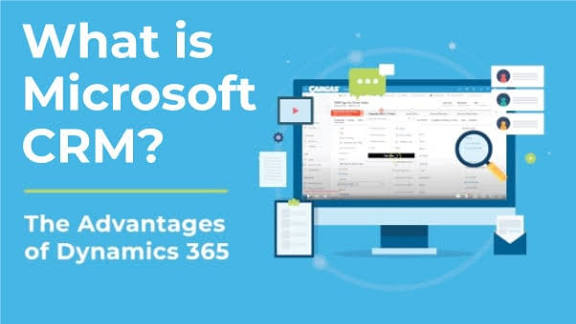
When people say CRM platforms Microsoft, they usually mean Microsoft Dynamics 365. This platform bundles CRM and ERP tools under one roof.
Dynamics 365 handles:
- Sales
- Customer service
- Marketing
- Field service
Think of it as a Swiss Army knife for customer relationships sharp, powerful, and slightly intimidating at first.
Why Businesses Choose Microsoft CRM Platforms
People don’t pick Microsoft Dynamics by accident. They choose it for specific reasons.
Deep Microsoft Ecosystem Integration
If your team already lives in Outlook, Teams, Excel, and SharePoint, this feels natural.
Microsoft CRM platforms integrate smoothly with:
- Outlook and Exchange
- Microsoft Teams
- Power BI
- Azure
I love how emails, meetings, and CRM data connect without hacks. That alone saves hours every week.
Enterprise-Level Power
Dynamics 365 doesn’t mess around. It targets serious businesses.
If you need:
- Advanced workflows
- Custom logic
- Large data handling
This platform delivers. IMO, Microsoft builds this for companies that plan to grow, not just survive.
Core CRM Modules in Microsoft Dynamics 365
Let’s unpack the main pieces without overcomplicating things.
Dynamics 365 Sales
This module focuses on pipelines, leads, and deals.
Key highlights include:
- Opportunity tracking
- Sales forecasting
- AI-driven insights
I like how it nudges sales reps with suggestions instead of barking orders. Ever wondered why some CRMs feel bossy? This one doesn’t.
Dynamics 365 Customer Service
Support teams love this module once they learn it.
It helps teams:
- Manage tickets
- Automate case routing
- Track customer history
Customers hate repeating themselves. This tool remembers everything for you. Simple win.
Dynamics 365 Marketing
This module handles campaigns and customer journeys.
It supports:
- Email marketing
- Lead scoring
- Event management
I’ll be real: setup takes time. But once it runs, campaigns feel organized instead of chaotic.
Dynamics 365 Field Service
If your business sends people into the field, this matters.
Field Service offers:
- Scheduling tools
- Mobile access
- Asset tracking
Technicians get the right info at the right time. Less guessing. More fixing.
Read more Which CRM Platform Is Best?
What Makes Microsoft CRM Platforms Stand Out
Plenty of CRMs exist. Microsoft still stands tall for a reason.
Customization Without Limits
You can shape Dynamics 365 almost any way you want.
Customization options include:
- Custom entities
- Automated workflows
- API integrations
I’ve seen companies build entire business processes inside this CRM. It feels like Lego for adults.
Power Platform Supercharges Everything
This part deserves attention.
Microsoft Power Platform includes:
- Power Apps
- Power Automate
- Power BI
You can build apps, automate tasks, and analyze data without heavy coding. That combo feels dangerous—in a good way.
The Learning Curve (Let’s Be Honest)
Now for the part nobody likes to admit.
Dynamics 365 Feels Heavy at First
This CRM doesn’t feel plug-and-play.
New users often say:
- “Where is that setting?”
- “Why are there so many options?”
That frustration fades with training, but yeah, the learning curve exists.
Training Isn’t Optional
If you skip training, users complain. Guaranteed.
Smart teams invest in:
- Onboarding sessions
- Documentation
- Ongoing support
Once users understand the system, productivity climbs fast.
Microsoft CRM vs Other Popular CRM Platforms
Let’s compare honestly.
Microsoft CRM vs Salesforce
This comparison never dies.
Microsoft wins on:
- Native Office integration
- Pricing flexibility
- Customization control
Salesforce wins on:
- App ecosystem
- UI simplicity
- Community resources
I prefer Microsoft when a company already uses Microsoft tools daily.
Microsoft CRM vs HubSpot
Different audiences entirely.
HubSpot fits:
- Small teams
- Quick setup needs
- Simpler workflows
Microsoft CRM fits:
- Growing businesses
- Complex processes
- Long-term scalability
Choose based on size and ambition.
Pricing: What Should You Expect?
Microsoft pricing feels… Microsoft-ish.
Subscription-Based Pricing
Dynamics 365 uses modular pricing.
You pay per user per app:
- Sales
- Customer Service
- Marketing
Costs add up fast, but you only pay for what you use.
Hidden Costs to Watch
Don’t ignore these.
Additional costs include:
- Implementation partners
- Custom development
- Training
The software price rarely tells the full story.
Who Should Use Microsoft CRM Platforms?
This CRM doesn’t fit everyone.
Great Fit For:
- Medium to large businesses
- Microsoft-heavy environments
- Companies with complex workflows
Not Ideal For:
- Solo founders
- Very small teams
- Businesses wanting instant setup
Be honest about your needs before committing.
Security and Compliance Strength
Microsoft takes security seriously. Like, really seriously.
Built-In Enterprise Security
Dynamics 365 offers:
- Role-based access
- Data encryption
- Compliance certifications
If data security keeps you up at night, this helps you sleep better.
Real-Life Experience: What I Like and Dislike
Let’s get personal.
What I Love
- Seamless Outlook integration
- Custom workflow flexibility
- Strong reporting with Power BI
What Annoys Me
- Initial complexity
- Setup time
- Partner dependency
Still, the pros outweigh the cons for serious operations.
Tips for Getting the Most Out of Microsoft CRM
If you go this route, do it right.
Start Small, Then Expand
Don’t enable everything on day one.
Focus on:
- Core sales processes
- Essential automations
Add features gradually.
Use a Good Implementation Partner
This matters more than the software itself.
A good partner:
- Understands your business
- Configures smartly
- Trains users properly
Bad setup ruins even great tools.
SEO Takeaway: Why Microsoft CRM Platforms Rank High
Search engines love depth and authority.
Microsoft CRM platforms rank well because they offer:
- Enterprise credibility
- Long-term relevance
- Strong ecosystem backing
That trust transfers to your business too. Learn more here Is CRM a Billing System
