

Let’s be honest for a second
Have you ever stared at a system and thought, “Why are you still doing this manually?” I’ve had that moment more times than I can count. That exact frustration pulled me into automate and integration engineering. Once you see how much time automation saves and how clean integration makes systems feel, there’s no going back. Manual processes start to feel like dial-up internet. Painful. Slow. Weirdly nostalgic.
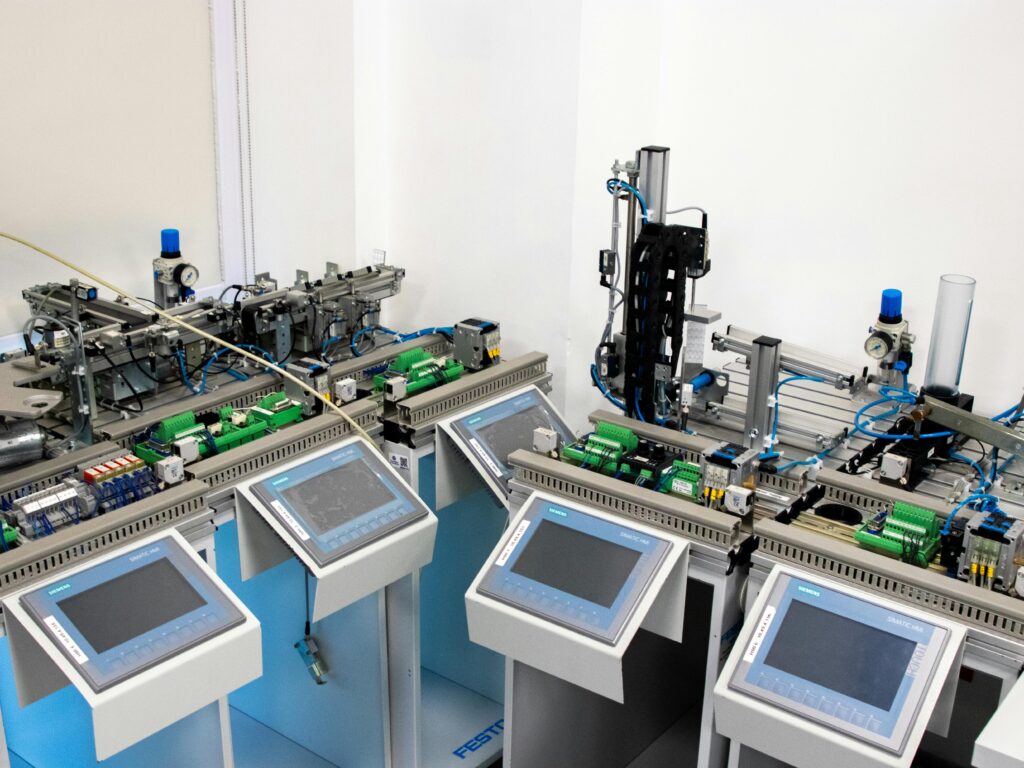
This article talks to you like a friend who already broke a few systems, fixed them, and learned the hard way. If you want clarity without the corporate noise, you’re in the right place.
What automate and integration engineering really means
People throw these terms around like everyone magically understands them. Let’s keep it real and simple.
Automation engineering focuses on making systems run tasks without human intervention. Integration engineering connects different systems so they share data and work together smoothly. Put them together and you get something powerful.
You stop babysitting processes. You stop copying data between tools. You stop reacting and start controlling.
Ever wondered why high-performing teams move faster with fewer people? Automation and integration explain most of it.
Learn more Automation and Integration Specialist: Role, Skills, Career Path, and Real-World Impact
Why automation alone is not enough
Automation sounds great until it works in isolation. I learned this lesson early.
The automation trap
You automate a task. It runs perfectly. Then it needs data from another system. Suddenly everything breaks.
Automation without integration:
- Creates silos
- Adds brittle dependencies
- Breaks when systems change
That’s when integration engineering steps in and saves the day.
Integration gives automation context
Integration allows automated processes to react to real-world data. Systems exchange information in real time and decisions improve instantly.
Good integration:
- Reduces errors
- Improves visibility
- Scales cleanly
Automation handles speed. Integration handles intelligence.
Core components of automate and integration engineering
Let’s break down the building blocks without turning this into a textbook.
APIs: the backbone of integration
APIs let systems talk. Without APIs, integration feels like yelling across rooms.
Strong API design includes:
- Clear endpoints
- Predictable responses
- Proper authentication
Bad APIs cause pain. Good APIs feel invisible.
Read more Automation Integration Tools: A Practical Guide Built From Real Experience
Middleware and integration platforms
Middleware sits between systems and manages communication. It handles data transformation, routing, and error handling.
Popular platforms include:
- MuleSoft
- Zapier
- Apache Kafka
Each solves a different problem. Zapier shines for business automation. Kafka dominates high-volume event systems.
Workflow engines and automation tools
Automation engines define what happens and when.
Common tools:
- Jenkins
- GitHub Actions
- Ansible
I like tools that stay predictable. Reliability beats fancy features every time.
Learn more Automation Integration Intelligence
Automate and integration engineering in real life
Theory sounds nice, but practice matters more.
DevOps and CI/CD pipelines
DevOps thrives on automation and integration. Code moves from commit to deployment without human bottlenecks.
A solid pipeline:
- Builds automatically
- Runs tests instantly
- Deploys consistently
Integration connects source control, testing, monitoring, and deployment tools. Automation pushes everything forward.
Enterprise systems and data flow
Enterprises love complexity. Integration engineers bring order.
Typical systems include:
- ERP platforms
- CRM systems
- Analytics tools
Automation keeps data synced. Integration keeps departments aligned. Without both, chaos wins.
Industrial and manufacturing automation
Factories rely on automation to maintain speed and accuracy.
Integration connects:
- Sensors
- Control systems
- Monitoring dashboards
When machines talk to software, downtime drops fast. That alone saves serious money.
Comparing automation tools without sugarcoating
Not all tools fit all teams. Let’s compare honestly.
Low-code vs code-first platforms
Low-code tools promise speed. Code-first tools promise control.
Low-code advantages:
- Faster setup
- Lower learning curve
- Business-friendly
Code-first advantages:
- Better scalability
- Strong customization
- Easier testing
IMO, low-code works great for small workflows. Code-first wins for serious systems.
Open-source vs commercial tools
Open-source tools offer freedom. Commercial tools offer support.
Open-source pros:
- No license cost
- Strong communities
- Customizable
Commercial pros:
- Vendor support
- SLAs
- Enterprise features
I mix both depending on risk tolerance. There’s no one-size-fits-all answer.
Skills that make a great automation and integration engineer
This field rewards curiosity more than memorization.
Technical skills that actually matter
You don’t need everything, but you need the basics.
Focus on:
- Scripting languages like Python or Bash
- API design and consumption
- Data formats like JSON and XML
- Version control systems
Once these feel natural, tools become easy.
Soft skills nobody talks about
Automation touches many teams. Communication matters.
Strong engineers:
- Ask good questions
- Document clearly
- Think in systems
Ever fixed a bug caused by unclear requirements? Yeah. Soft skills save time.
Learn more Industrial Automation Systems and Integration (Without the Boring Stuff)
Common mistakes in automate and integration engineering
Mistakes teach fast lessons. I’ve made most of these.
Over-automating too early
Automation amplifies bad processes. Fix the process first.
Ignoring error handling
Failures happen. Systems must recover gracefully.
Tight coupling between systems
Loose coupling keeps systems flexible. Tight coupling breaks everything during change.
If integration feels fragile, revisit your architecture.
Security in automation and integration
Security can’t be an afterthought.
Key security practices
Protect systems with:
- Strong authentication
- Role-based access
- Encrypted communication
Automation increases speed. It also increases blast radius. Secure everything.
Monitoring and observability
Visibility keeps systems healthy.
Monitor:
- Failures
- Latency
- Data mismatches
If you can’t see it, you can’t fix it.
The role of cloud in automation and integration
Cloud platforms simplify infrastructure management.
Cloud-native automation
Cloud services offer built-in automation features.
Benefits include:
- Elastic scaling
- Managed services
- Reduced maintenance
Tools like Docker and Kubernetes play huge roles here.
Infrastructure as code
Infrastructure becomes versioned and repeatable.
Popular tools:
- Terraform
Once infrastructure behaves like software, reliability improves dramatically.
Career paths in automate and integration engineering
This field offers flexibility.
Common job titles
You might see:
- Automation engineer
- Integration engineer
- DevOps engineer
- Platform engineer
Titles vary. Skills overlap heavily.
Growth and demand
Demand keeps growing because systems keep multiplying. Companies crave engineers who reduce complexity.
FYI, this skill set ages well.
How to get started without burning out
Start small and stay curious.
Practical learning steps
Try this:
- Automate a personal task
- Integrate two simple apps
- Break it
- Fix it
Learning sticks when failure teaches lessons.
Build a portfolio
Show real workflows. Employers love proof.
Even simple projects demonstrate thinking and problem-solving.
The future of automate and integration engineering
Standardization continues improving. Event-driven systems grow fast. AI-assisted automation creeps in quietly.
Will everything become automatic? Probably not. Humans still matter. Engineers who design smart automation will matter even more.
Learn more Automate and integrate smart home devices
Final thoughts
Automate and integration engineering turns messy systems into reliable machines. It saves time, reduces errors, and makes work feel lighter. Start small, think holistically, and respect simplicity. Automation should serve people, not confuse them.
If your systems still rely on copy-paste and hope, maybe it’s time to automate a little. Or a lot. Just don’t forget to enjoy the process.